

Eileen, an artist out of Montreal, Canada, after using a number of print companies, emailed us about a problem she was having with getting giclee fine art prints produced to her satisfaction.
Here is what she said: “Hi, I had been trying to make prints of my artwork to sell as reproductions for the past year and found it hard to get the results I want. After first trying to print them myself, I tried different companies, which led to little improvement. My problem is colors in the prints are still usually off to some extent, and I don’t know why. One company told me it was my files, while another seemed to have no clue. A friend recommended you guys since she says most of her prints are great, and you have been happy to work with her to improve the prints that needed help. Before I start to use Finerworks, I am simply curious what you guys do differently, and if you will be able to tell me what I can also do?”
This is a great question that Eileen asked, so I am going to share a few points that I hope will shed some new light on the steps we take to figure out why a print might not have come out correctly or as expected.
There are a few points you want to know about printing artwork as giclee prints in general beforehand.
Foremost, most companies won’t know if the artwork is supposed to look like the way it was printed unless they have the original painting right next to them. Just because it looks right to you on your computer does not mean your artwork will look the same on theirs due to variations in computer screen technology.
Even though the printers and equipment are similar or the same in many instances across different companies, you can easily get varying results with your prints. This could also be due to the software used to process files, how companies manage color during the printing process, and the papers selected to print on.
Not all companies truly specialize in fine art printing, either. Some are sign printing companies in disguise, while others might be more photo-centric, which means they don’t do a lot of art reproductions. This does not mean those companies can’t produce a quality and accurate print, but sometimes they don’t understand the nuances of working with artists new to printing their work.
Where I can confidently boast, FinerWorks has been quite good at producing prints of artwork for many years now. The clear majority of our customers who order on our website, via apps, or even offline have been quite happy with the results we provide, but we would be dishonest to say that was the case in all instances. In those times where the prints don’t turn out as the customer expected, we have 3 things we ask ourselves to correctly assess why and correct the problem.
Was the Digital Image File Right?
Printing giclee prints as fine art reproductions is a digital process, so it requires the artwork be converted to a digital file, like a JPG or a TIF. In most cases, if we find there is a problem with the print, the digital file has not been adjusted or possibly over-prepped before it was submitted to us. Even when artwork is professionally photographed, the images may not be fully prepared for printing on the surface chosen, leading to alterations in color that may be slight to great. Many times, we find that even though some basic color correction was done, which usually is enough, sometimes they also need further adjustment to take into consideration the brightness of the papers she had chosen. In other cases, the image is saved in a format that does not best take advantage of the colors the printer has to offer.
Was the Printing Process Done Correctly?
There are a lot of variables that go into printing an image file correctly. Foremost is the consideration of the type of paper the printer and inks are printed on. We have dialed this process in so it is pretty much automatic; however, it is not uncommon for us to have to tweak it a little when we discover that improvements can be made. It is rare for an error to occur in the printing process. When it does, it usually is a software settings issue. We almost always look at this as a potential factor since it is simply a matter of checking our printing logs. The good news is it is easy to fix so that we can get corrected prints made.
Were the Printers Running Optimally?
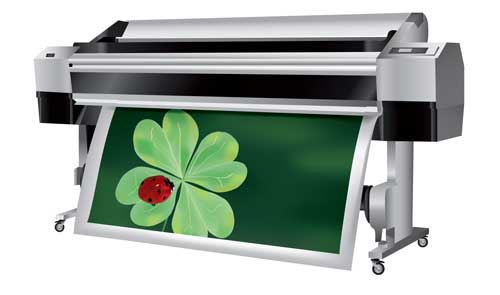
We run a good-sized fleet of wide-format printers. Printers are complex pieces of machinery. Problems with the printer itself are not usually a problem since the engineers who designed them made sure they either function almost perfectly or not at all. For instance, they cannot be out of ink and still print, so there is no worry about colors being off because one of the ink cartridges is low or out of ink. They also have an internal calibration system,s which makes sure they are running optimally. However, even with the internal safeguards in place, there are some components that can begin to fail, which can lead to prints being less optimal than they need to be. Usually, we will catch this during regular maintenance cycles, and since most of our media is assigned to 2 and sometimes 3 printers, our printer techs will usually discover early on if there is an issue with one of the printers. If in an instance we find out some prints were not produced optimally but find that both the file was fine and the printer logs do not show any issues, we typically will test both the potentially offending printer along side of it’s neighbor of the same model. If consistencies occur between the two, our printer technicians will quickly discover the correct problem.
While overall our approach tends to sound like a band-aid approach, we do take a lot of preventative measures, so we don’t have to ask those questions. First, the printers undergo regular maintenance cycles to keep them running optimally. This allows our fleet to run with 100% in operation most of the time. Sometimes, random inspections of the prints by the printer technicians or managers will yield obvious flaws in the print. Also, during slower times, our production staff can catch more problems, such as defective prints. Admittedly, bad prints do escape us at times, but rest assured, when it is brought to our attention, our goal is to help you make sure your file is right, our process is correct, and our printers run optimally.